
Resilience4j in Spring Boot: From Zero to Production-Ready Fault Tolerance
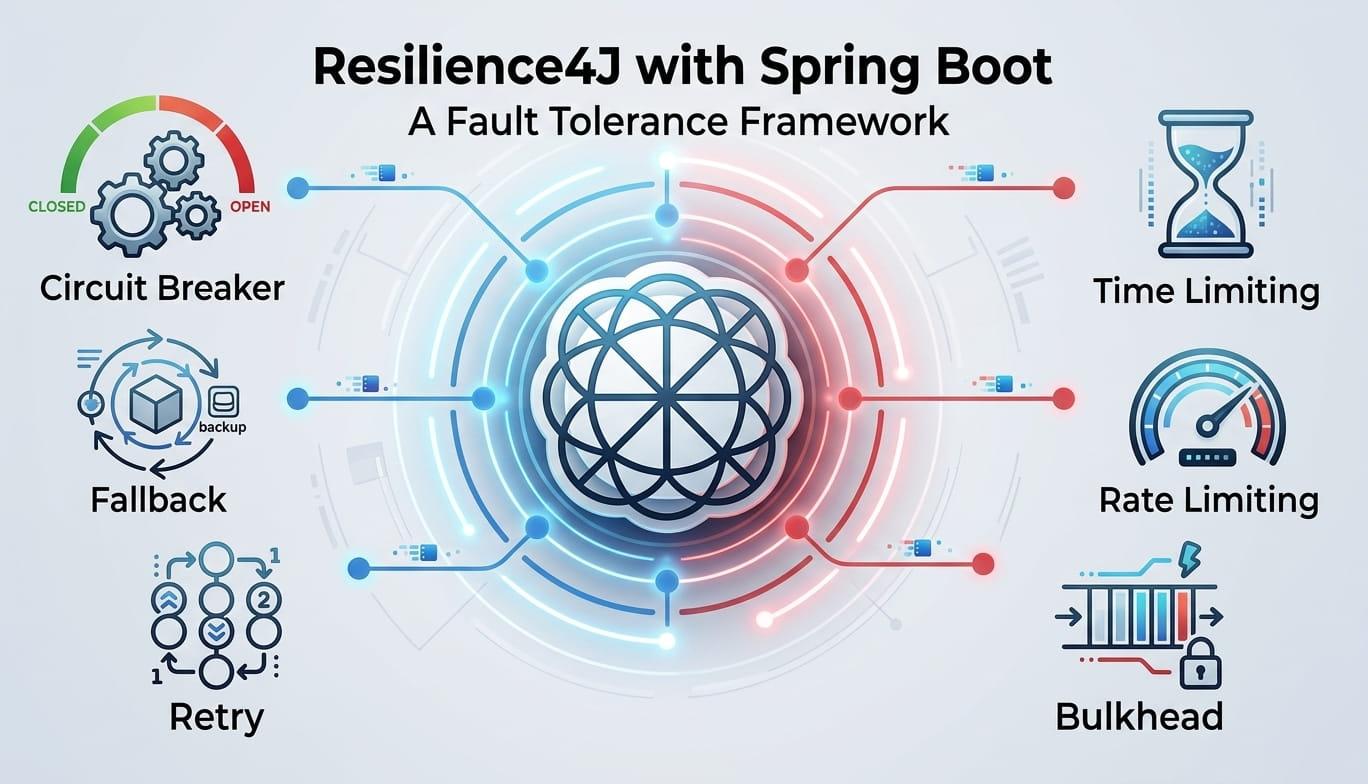
Published on lama-space.com, Medium, and Java SPEKTRUM.
Why Your Microservice Will Fail — And Why That's Fine
Every distributed system fails eventually. A downstream service times out. A database becomes momentarily unavailable. A third-party API rate-limits you at peak traffic. In a monolith, these failures are contained. In a microservice architecture, one slow dependency can cascade through your entire system and bring down services that had nothing to do with the original problem.
This is called a cascading failure — and it is the number one reliability killer in large Spring Boot applications.
Resilience4j is the answer. It is a lightweight, modular fault-tolerance library built specifically for Java 8+ and functional programming. It replaced the now-deprecated Netflix Hystrix as the de facto standard, and integrates natively with Spring Boot, Micrometer metrics, and Spring Cloud.
In this article we go from a simple circuit breaker to a full production pattern — with real code, real configuration, and real mistakes to avoid.
The Problem We Are Solving
Imagine this architecture:
OrderService → PaymentService → BankingAPI (external, slow)→ InventoryService → Database→ NotificationService → EmailProvider
If BankingAPI starts responding in 8 seconds instead of 200ms:
PaymentServicethreads pile up waitingOrderServicethreads pile up waiting forPaymentService- Your entire order flow degrades
- Users see timeouts on unrelated pages
- Your on-call engineer gets paged at 2am
Resilience4j prevents this chain reaction with five core modules. We will cover all five.
Setup
Maven dependency
<!-- Core --><dependency><groupId>io.github.resilience4j</groupId><artifactId>resilience4j-spring-boot3</artifactId><version>2.2.0</version></dependency><!-- Required for annotations to work --><dependency><groupId>org.springframework.boot</groupId><artifactId>spring-boot-starter-aop</artifactId></dependency><!-- Metrics exposure (optional but recommended) --><dependency><groupId>io.micrometer</groupId><artifactId>micrometer-registry-prometheus</artifactId></dependency>
Note: Use resilience4j-spring-boot3 for Spring Boot 3.x. For Spring Boot 2.x use resilience4j-spring-boot2.
Module 1: Circuit Breaker
The circuit breaker is the most important pattern. It monitors calls to an external service and, when failures exceed a threshold, it "opens" the circuit and immediately rejects further calls — giving the downstream service time to recover.
The three states
CLOSED → normal operation, calls pass through↓ (failure rate exceeds threshold)OPEN → calls are rejected immediately, fallback is called↓ (after waitDurationInOpenState)HALF-OPEN → limited calls allowed through to test recovery↓ (if successful)CLOSED → back to normal
Configuration (application.yml)
resilience4j:circuitbreaker:instances:paymentService:# How many calls to sample before calculating failure rateslidingWindowSize: 10# Open circuit when 50% of calls failfailureRateThreshold: 50# Also open if 60% of calls are too slowslowCallRateThreshold: 60# "Too slow" = longer than 2 secondsslowCallDurationThreshold: 2s# Stay open for 10 seconds before trying againwaitDurationInOpenState: 10s# Allow 3 test calls in HALF-OPEN statepermittedNumberOfCallsInHalfOpenState: 3# Minimum calls before circuit can open (avoids opening on 1/1 failures)minimumNumberOfCalls: 5# Which exceptions count as failuresrecordExceptions:- java.io.IOException- java.util.concurrent.TimeoutException- feign.FeignException# Which exceptions to ignore (e.g. business exceptions)ignoreExceptions:- com.example.exceptions.BusinessValidationException
Java implementation
@Service@RequiredArgsConstructor@Slf4jpublic class PaymentService {private final BankingApiClient bankingApiClient;private final PaymentRepository paymentRepository;@CircuitBreaker(name = "paymentService", fallbackMethod = "paymentFallback")public PaymentResponse processPayment(PaymentRequest request) {log.info("Processing payment for orderId: {}", request.getOrderId());return bankingApiClient.charge(request);}// Fallback method — same signature + Throwable parameterprivate PaymentResponse paymentFallback(PaymentRequest request, Throwable ex) {log.warn("Payment circuit open or failed for orderId: {}. Cause: {}",request.getOrderId(), ex.getMessage());// Option 1: Queue for async retrypaymentRepository.saveForRetry(request);return PaymentResponse.pending(request.getOrderId(),"Payment queued. You will be notified when processed.");// Option 2: Return cached/default response// return PaymentResponse.degraded(request.getOrderId());}}
Important: The fallback method must be in the same class, have the same return type, the same parameters plus a Throwable at the end. If the signature doesn't match, Spring will silently ignore it.
Module 2: Retry
The retry module automatically retries a failed call a configurable number of times, with optional exponential backoff. Use it for transient failures like network blips.
resilience4j:retry:instances:inventoryService:maxAttempts: 3waitDuration: 500ms# Exponential backoff: 500ms, 1000ms, 2000msenableExponentialBackoff: trueexponentialBackoffMultiplier: 2# Only retry on these exceptionsretryExceptions:- java.io.IOException- org.springframework.web.client.ResourceAccessException# Never retry on these (business errors)ignoreExceptions:- com.example.exceptions.InsufficientStockException
@Servicepublic class InventoryService {private final InventoryClient inventoryClient;@Retry(name = "inventoryService", fallbackMethod = "inventoryFallback")@CircuitBreaker(name = "inventoryService", fallbackMethod = "inventoryFallback")public StockResponse checkStock(String productId) {return inventoryClient.getStock(productId);}private StockResponse inventoryFallback(String productId, Throwable ex) {log.error("Inventory check failed after retries for product: {}", productId);// Return cached stock data or conservative estimatereturn StockResponse.unknown(productId);}}
Combining Retry + CircuitBreaker: Always put @Retry inside @CircuitBreaker (Retry is evaluated first, then CircuitBreaker). The order of annotation processing matters — Retry runs before CircuitBreaker counts the failure.
Module 3: Rate Limiter
Protect your service from being overwhelmed — either by external clients calling you, or by you hammering a downstream API that has rate limits.
resilience4j:ratelimiter:instances:emailProvider:# Allow max 10 calls per 1 secondlimitForPeriod: 10limitRefreshPeriod: 1s# Wait up to 500ms for a permission before throwingtimeoutDuration: 500ms
@Servicepublic class NotificationService {@RateLimiter(name = "emailProvider", fallbackMethod = "emailFallback")public void sendEmail(EmailRequest request) {emailProviderClient.send(request);}private void emailFallback(EmailRequest request, RequestNotPermitted ex) {log.warn("Rate limit reached, queuing email for: {}", request.getRecipient());emailQueue.add(request);}}
Module 4: Bulkhead
The bulkhead isolates resources so a slow dependency cannot consume all available threads and starve the rest of your application. Named after the watertight compartments in a ship — if one floods, the others stay dry.
Two types:
SemaphoreBulkhead (default) — limits concurrent calls using a semaphore:
resilience4j:bulkhead:instances:reportingService:# Max 5 concurrent calls to reporting (slow, resource-heavy)maxConcurrentCalls: 5# Wait up to 100ms for a slot before rejectingmaxWaitDuration: 100ms
ThreadPoolBulkhead — gives the dependency its own isolated thread pool (better for blocking calls):
resilience4j:thread-pool-bulkhead:instances:reportingService:maxThreadPoolSize: 5coreThreadPoolSize: 3queueCapacity: 10
@Servicepublic class ReportingService {@Bulkhead(name = "reportingService", fallbackMethod = "reportFallback")public Report generateReport(ReportRequest request) {// Slow, resource-intensive operationreturn reportGenerator.generate(request);}private Report reportFallback(ReportRequest request, BulkheadFullException ex) {return Report.queued("Report is being generated. Check back in a few minutes.");}}
Module 5: TimeLimiter
Forces a timeout on async operations. Useful when the underlying client does not have its own timeout configured (RestTemplate without timeout, for example).
resilience4j:timelimiter:instances:externalApiCall:timeoutDuration: 3scancelRunningFuture: true
@Servicepublic class ExternalDataService {private final ExternalApiClient externalApiClient;@TimeLimiter(name = "externalApiCall", fallbackMethod = "dataFallback")@CircuitBreaker(name = "externalApiCall")public CompletableFuture<DataResponse> fetchExternalData(String query) {return CompletableFuture.supplyAsync(() -> externalApiClient.fetch(query));}// TimeLimiter requires CompletableFuture — fallback must also return itprivate CompletableFuture<DataResponse> dataFallback(String query, Throwable ex) {return CompletableFuture.completedFuture(DataResponse.cached(query));}}
Combining Patterns: The Full Production Stack
In a real large application, you combine all modules. The recommended annotation order:
@TimeLimiter(name = "paymentService")@Bulkhead(name = "paymentService")@CircuitBreaker(name = "paymentService", fallbackMethod = "fallback")@Retry(name = "paymentService")@RateLimiter(name = "paymentService")public CompletableFuture<PaymentResponse> processPayment(PaymentRequest request) {...}
The execution order (inner to outer): RateLimiter → Retry → CircuitBreaker → Bulkhead → TimeLimiter
Monitoring in Production
This is where most tutorials stop — but production without observability is flying blind.
Expose metrics to Actuator
management:endpoints:web:exposure:include: health, metrics, prometheushealth:circuitbreakers:enabled: trueratelimiters:enabled: true
Health endpoint response
When a circuit opens, Spring Boot Actuator's /actuator/health automatically reflects it:
{"status": "DOWN","components": {"circuitBreakers": {"status": "DOWN","details": {"paymentService": {"status": "DOWN","details": {"state": "OPEN","failureRate": "60.0%","slowCallRate": "0.0%","bufferedCalls": 10,"failedCalls": 6}}}}}}
Key Prometheus/Grafana metrics to watch
# Circuit breaker state (0=CLOSED, 1=OPEN, 2=HALF_OPEN)resilience4j_circuitbreaker_state{name="paymentService"}# Failure rate percentageresilience4j_circuitbreaker_failure_rate{name="paymentService"}# Call outcomesresilience4j_circuitbreaker_calls_total{name="paymentService", kind="successful"}resilience4j_circuitbreaker_calls_total{name="paymentService", kind="failed"}resilience4j_circuitbreaker_calls_total{name="paymentService", kind="not_permitted"}# Retry attemptsresilience4j_retry_calls_total{name="inventoryService", kind="successful_with_retry"}# Bulkhead available slotsresilience4j_bulkhead_available_concurrent_calls{name="reportingService"}
Build a Grafana dashboard with these metrics. Set an alert when failure_rate > 40% — you want to know before the circuit opens.
Common Mistakes (And How to Avoid Them)
1. Forgetting AOP dependency
Annotations do nothing silently without spring-boot-starter-aop.
2. Wrong fallback signature
The fallback method must match exactly: same parameters + Throwable as last parameter. Wrong signature = no fallback, just an exception.
3. Calling annotated methods internally
// WRONG — AOP proxy is bypassed, Resilience4j is not appliedpublic void doSomething() {this.processPayment(request); // same class, no proxy}// CORRECT — inject self or use programmatic API@Autowiredprivate PaymentService self;public void doSomething() {self.processPayment(request);}
4. Setting slidingWindowSize too small
A slidingWindowSize: 5 with minimumNumberOfCalls: 5 means your circuit opens after 3 failures in 5 calls. In high-traffic systems this might be intentional, but in low-traffic services it opens the circuit on routine noise. Tune to your actual traffic volume.
5. Not distinguishing business exceptions from technical exceptions
BusinessValidationException (wrong input from user) is not a failure of the downstream service. Always add it to ignoreExceptions — otherwise user errors open your circuit.
6. Using Retry without exponential backoff on flaky services
Immediate retries on a struggling service make it worse, not better. Always use enableExponentialBackoff: true in production.
Real-World Example: SAP Integration
If you integrate with SAP via REST (a common scenario in logistics and enterprise Java), SAP systems can be slow or unavailable during maintenance windows. A practical configuration:
resilience4j:circuitbreaker:instances:sapIntegration:slidingWindowSize: 20failureRateThreshold: 40slowCallRateThreshold: 50slowCallDurationThreshold: 5s # SAP is allowed to be slowwaitDurationInOpenState: 30s # Give SAP time to recoverminimumNumberOfCalls: 10recordExceptions:- java.io.IOException- org.springframework.web.client.HttpServerErrorException- feign.RetryableExceptionignoreExceptions:- com.example.sap.SapValidationExceptionretry:instances:sapIntegration:maxAttempts: 2 # Don't hammer SAP with retrieswaitDuration: 2senableExponentialBackoff: trueexponentialBackoffMultiplier: 2bulkhead:instances:sapIntegration:maxConcurrentCalls: 10 # Limit concurrent SAP connectionsmaxWaitDuration: 200ms
Summary
| Module | Protects Against | Use When |
|---|---|---|
| Circuit Breaker | Cascading failures | Any external service call |
| Retry | Transient network errors | Idempotent operations only |
| Rate Limiter | Overload / API limits | External APIs with rate limits |
| Bulkhead | Thread starvation | Slow or resource-heavy dependencies |
| TimeLimiter | Indefinite hangs | Async calls, no timeout on client |
Resilience4j is not a silver bullet. It requires you to think carefully about what failure means for each dependency, what an acceptable fallback is, and how to tune thresholds to your actual traffic. The patterns are simple. The tuning is the real engineering work.
The complete working example for this article is available on GitHub: github.com/mohammedahmadi/resilience4j-spring-demo (coming soon).

Mohammed Ahmadi
Software Developer
Recommended
- JBang: Turning Java Into a Scripting Language
- A Step-by-Step, Real-World Guide to Securing Company-to-Company API Communication Using OAuth 2.0
- End-to-End Testing with Playwright — Quick Setup & Best Practices
- Visualizing SBOMs with the Dependency Radar: A Practical Approach to Dependency Management
- Request-Response API Styles: REST vs gRPC vs GraphQL vs SOAP
- Building a 3D Warehouse Visualizer with Three.js
- Do We Really Need an LLM for Every Decision? Testing Jev with Spring Boot