
End-to-End Testing with Playwright — Quick Setup & Best Practices
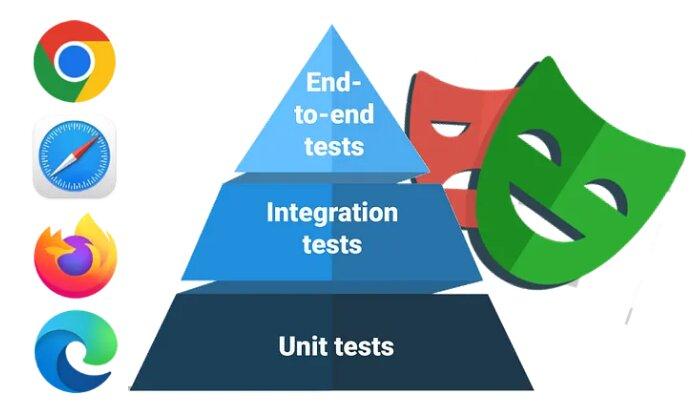
Flaky tests, inconsistent behavior across browsers, and slow feedback loops are the usual reasons an E2E suite gets quietly abandoned. I wrote up a practical rundown of Playwright — Microsoft's open-source E2E framework — covering setup, project structure, the testing patterns that actually hold up, and wiring it into CI. This is the short version; the full article on Medium has the complete config, GitHub Actions workflow, and best-practices checklist.
Why Playwright Over Selenium or Cypress
Playwright talks to Chromium, Firefox, and WebKit over a WebSocket connection instead of the older HTTP/WebDriver protocol, which is a big part of why it's faster and less flaky. Auto-waiting removes the need for manual sleep() calls, each test runs in its own lightweight browser context for real isolation, and it ships with its own tooling — Codegen, Inspector, and the Trace Viewer — out of the box.
Patterns Worth Stealing
- Soft assertions (
expect.soft(...)) — check several things in one test without bailing out at the first failure, so a report shows every problem, not just the first one. - Storage state for auth — log in once in a setup step, save the session, and reuse it across the whole suite instead of re-authenticating in every test.
- Trace Viewer — full time-travel debugging with step replay, network requests, console logs, and screenshots at every interaction, which turns a flaky CI failure into something actually diagnosable.
The full article includes the exact playwright.config.js setup, a working GitHub Actions workflow for running the suite in CI with artifact uploads, and a best-practices checklist worth keeping next to any test suite. Continue reading: the full article on Medium →

Mohammed Ahmadi
Software Developer
Recommended
- JBang: Turning Java Into a Scripting Language
- Resilience4j in Spring Boot: From Zero to Production-Ready Fault Tolerance
- A Step-by-Step, Real-World Guide to Securing Company-to-Company API Communication Using OAuth 2.0
- Visualizing SBOMs with the Dependency Radar: A Practical Approach to Dependency Management
- Request-Response API Styles: REST vs gRPC vs GraphQL vs SOAP
- Building a 3D Warehouse Visualizer with Three.js
- Do We Really Need an LLM for Every Decision? Testing Jev with Spring Boot